Equipment Inspections
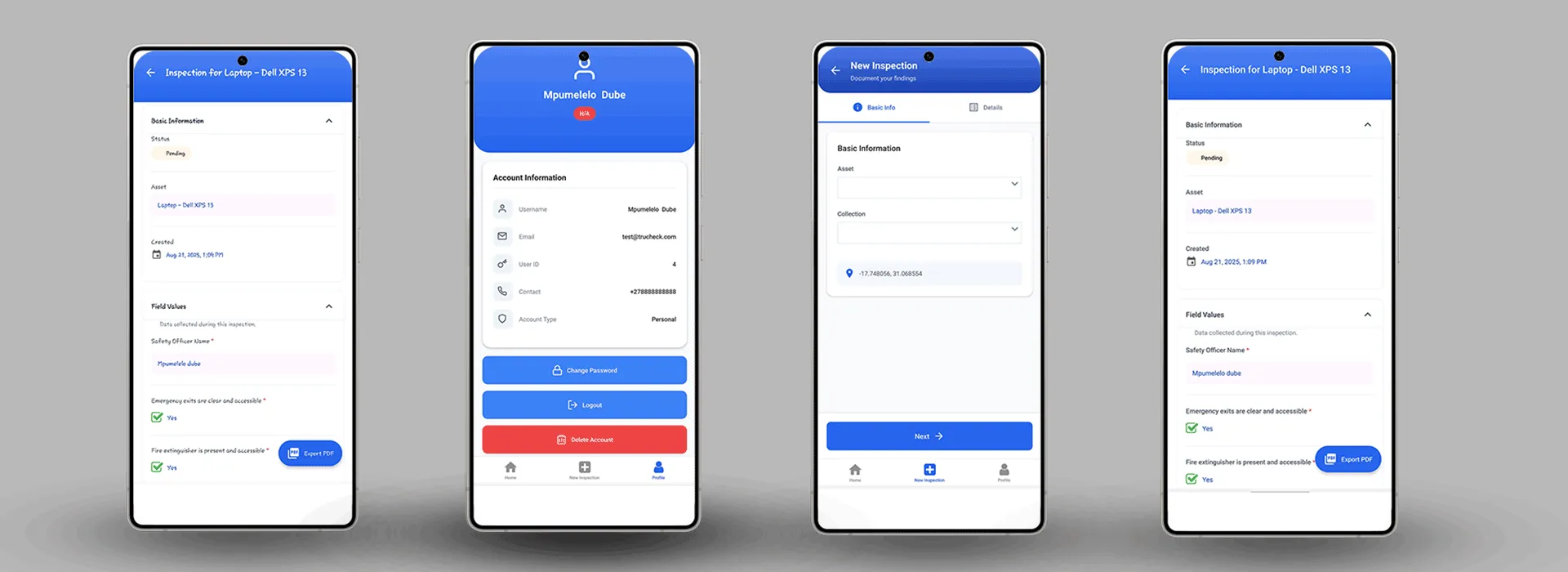
Create equipment-specific Collections with mandatory fields (condition, service date, photos). Technicians can start inspections on mobile, work offline, and sync when connected.
End-to-End Process
Follow the complete lifecycle from checklist design to inspection completion—seamlessly integrated across web and mobile platforms with comprehensive auditability.
Admins create versioned Collections (checklists) with custom fields, logic, and validation for each inspection scenario. Every update creates a new version for audit traceability.
Admins add assets (equipment, locations, etc.), group them by type or location, and assign relevant Collections. Assets are tenant-scoped for strict data isolation.
Admins link Collections to assets, assign users, and schedule inspections (one-time or recurring). Assignments are visible to users on both web and mobile.
Users access assigned inspections via web or mobile, fill dynamic forms, save drafts, and upload evidence. Partial completion and draft saving supported.
Inspections started on web can be continued on mobile, or vice versa. Offline mode supports mobile data capture with automatic sync when online.
Completed inspections undergo validation, sync across devices, and trigger notifications. All actions logged for complete auditability.
Admins and Super Admins review submissions, export reports (PDF/Excel), monitor compliance trends via dashboards with immutable audit logs.
Based on our platform’s actual capabilities and mobile API features
Create equipment-specific Collections with mandatory fields (condition, service date, photos). Technicians can start inspections on mobile, work offline, and sync when connected.
Multi-tenant safety protocols with versioned checklists ensure compliance. Partial inspections allow auditors to document issues immediately and complete later.
Separate organizations with isolated data. Admins manage their tenants while Super Admins provide cross-tenant oversight and system management.
Built with Modern Technology
Leveraging powerful, industry-standard technologies for a robust, scalable, and maintainable solution.

Backend PHP framework powering business logic, APIs, and security with modern features.

Modern UI library for fast, interactive user experiences with TypeScript support.
Reliable and scalable data storage with advanced indexing and multi-tenant support.

Utility-first CSS framework for rapid, consistent, and responsive design.

SPA-like navigation with server-side routing and seamless React integration.
Next-generation frontend tooling for fast development and optimized production builds.
Laravel Sanctum for robust API authentication, OWASP-compliant validation, and comprehensive role-based access control with tenant isolation.
Pest 3.8 and PHPUnit for comprehensive backend testing, database factories, ESLint for frontend quality, and automated CI/CD pipelines.