







Key inspection app capabilities

  • Time-stamped images icon

    Time-stamped images

  • Geo-tagged photos icon

    Geo-tagged photos

  • Real-time photo uploads icon

    Real-time photo uploads

  • Secure cloud storage icon

    Secure cloud storage

  • Audit-ready inspection reports icon

    Audit-ready reports

  • Digital chain of custody icon

    Digital chain of custody

  • Easy to use admin portal icon

    Easy To Use Admin Portal

  • Fully customisable platform icon

    Fully Customisable

Core Features

A Powerful, Unified Platform

Built to handle complex inspection workflows with robust features for administrators and field agents.

  • Asset Management

    Manage and track assets across tenants. Assign users and link assets to specific inspection checklists for clear accountability and organized workflows.

  • Evidence You Can Trust

    Capture photos that are automatically timestamped and geotagged, providing an irrefutable digital audit trail for every inspection.

  • Versioned Checklists

    Create dynamic, version-controlled checklists (Collections) to ensure inspections are always performed against the correct standard with full audit trails.

  • Mobile-First Convenience

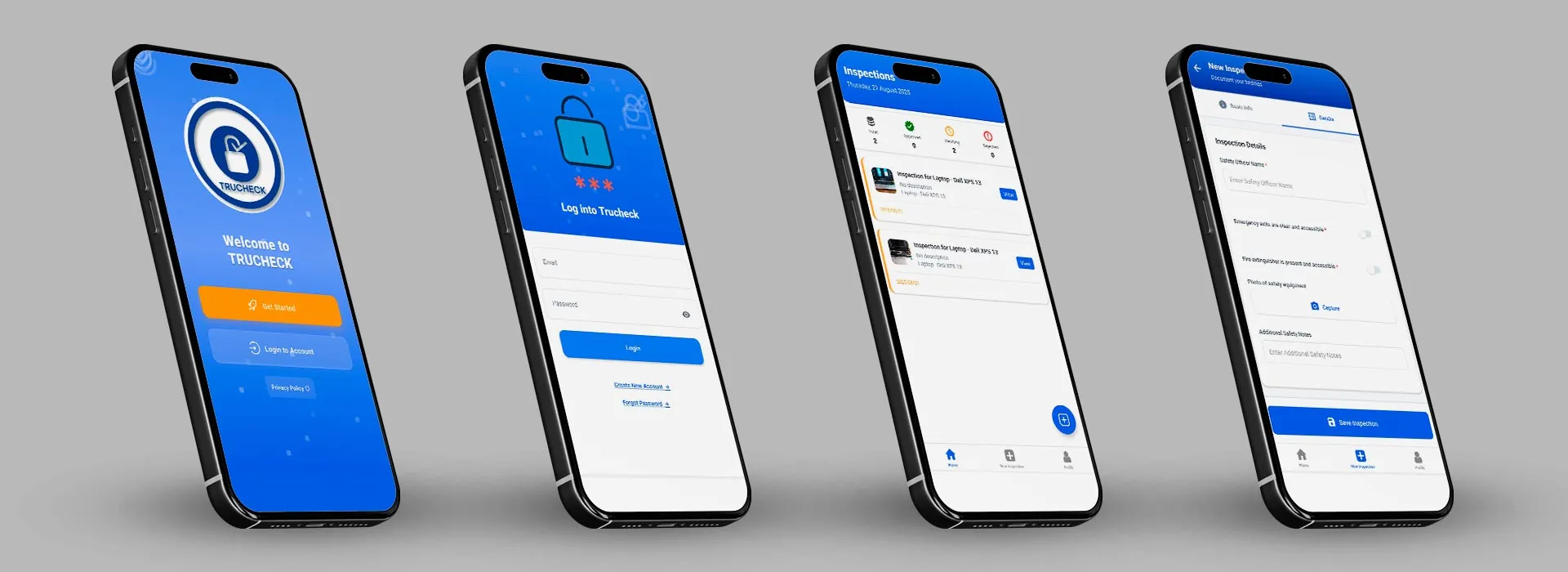
    Use our intuitive mobile app—available on both Google Play and the Apple App Store—to complete inspections on-site, online or offline.

  • Streamlined Inspections

    Conduct inspections efficiently with support for various field types, including text, signatures, file uploads, and custom validation rules.

  • Centralised Control

    The powerful admin interface gives you complete oversight of users, inspection history, and reports—all in one place.

  • Mobile-Ready API

    A dedicated API for mobile clients, enabling field agents to perform inspections online or offline and sync data seamlessly across devices.

  • Flexible Use Cases

    Perfect for property managers, real estate agents, facilities teams, and field staff—anyone who needs to prove the condition of a site, asset, or location.

  • Partial Inspections & Drafts

    Start inspections on the web and complete them on mobile. Save drafts and progressively add information as it becomes available.

  • Time-Saving Workflows

    Create templates and checklists to ensure consistency, reduce manual errors, and cut down the time spent compiling reports.

Roles & Capabilities

Designed for Your Team

Fine-grained permissions designed for security and operational efficiency across different organizational levels.

Admin

Manages all aspects of a specific tenant, including its users, assets, and inspection processes. Full control within their organizational scope.

Key Capabilities:

  • Manage users within their assigned tenant organization
  • Create, edit, and manage assets and collection templates
  • View dashboards and analytics for their tenant
  • Assign users to assets and collection workflows
  • Schedule and monitor inspection processes
  • Restricted from managing other tenants or global settings

General User

A standard user within a tenant, primarily responsible for conducting inspections on assigned assets. Field-focused with mobile access.

Key Capabilities:

  • View and complete assigned inspections
  • Access only assets they are specifically assigned to
  • Use mobile API to conduct inspections in the field
  • Save drafts and complete partial inspections
  • Upload evidence and documentation during inspections
  • Cannot create or manage assets, collections, or users

Streamline Your Inspection Workflow

Try Now

See how it all fits together in the end-to-end inspection workflow.